
Markdown, the way it should look.
Markdown Peek renders your .md files beautifully in Quick Look and a fast window built for Mac, with GitHub-style formatting, code in color, a table of contents, LaTeX math, Mermaid diagrams, dark mode, and save to PDF. Free on the Mac App Store.

A viewer that gets out of your way
Open a file and read. Everything in Markdown Peek is built around that one fast, focused moment.
Press Space in Finder
Select any .md file in Finder and press Space. The formatted page appears right there, with no app to launch and nothing to set up.
Opens the moment you double-click
Make it your default Markdown app and every .md file opens straight into a rendered page. Even large documents open instantly and scroll without lag.
Looks like GitHub
Tables, task lists, callouts, and footnotes render in the familiar GitHub style, and code is colored by language, sharp in light mode and in a dark mode tuned for reading code.
Jump to any heading
Press Control-Command-S for a sidebar with every heading in the document. Click one to jump straight there, and the section you are reading stays highlighted.
Math and diagrams, rendered
LaTeX formulas and Mermaid flowcharts turn into the real thing, in the window and in Quick Look, all offline.
The source, one key away
Press the spacebar to flip from the rendered page to the raw Markdown, with line numbers. Press it again to flip back.
See it in action
From a README and colored code to a photo journal, the raw source, the table of contents, math, and dark mode, here is Markdown Peek on macOS.
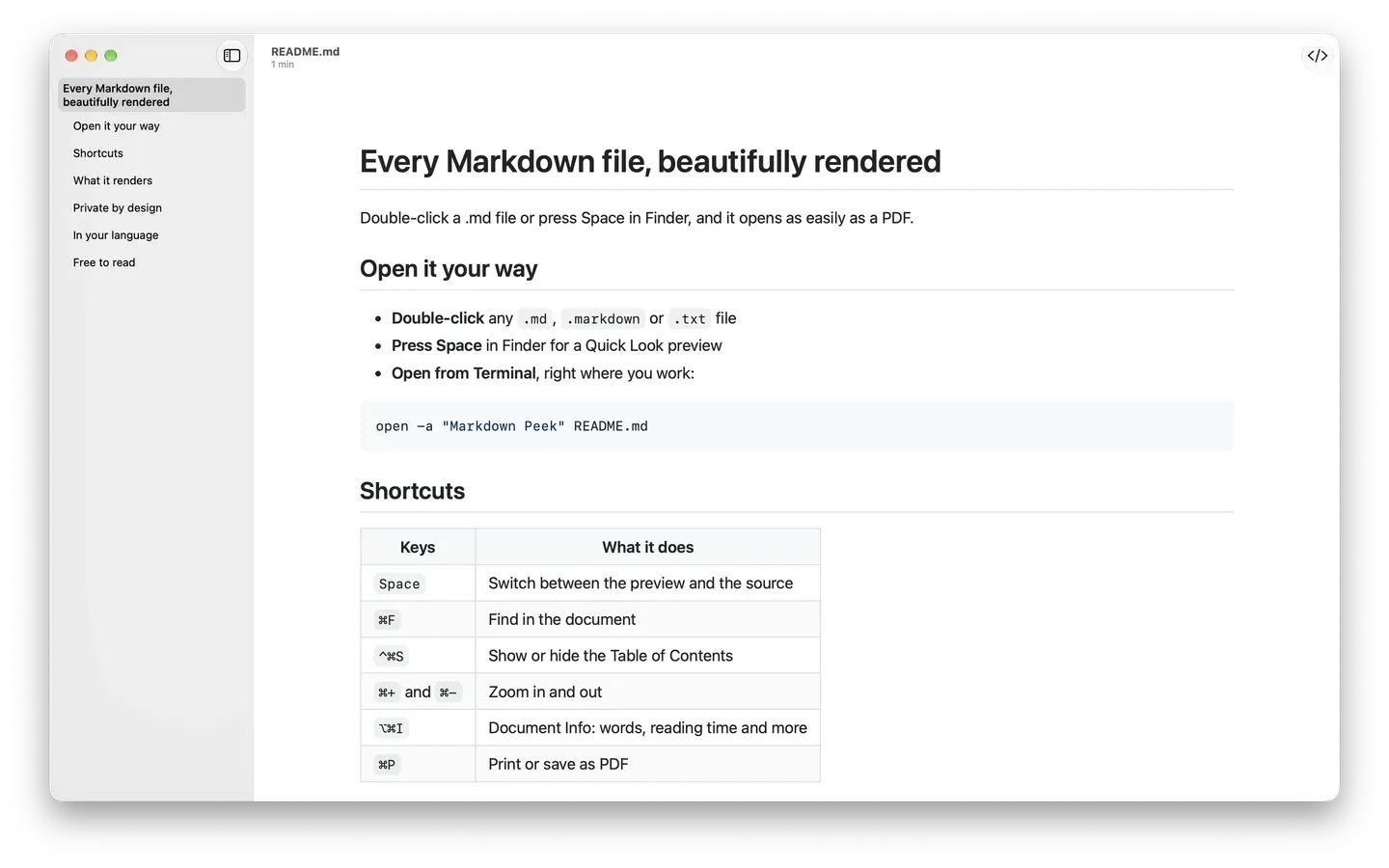
Every Markdown file, beautifully rendered 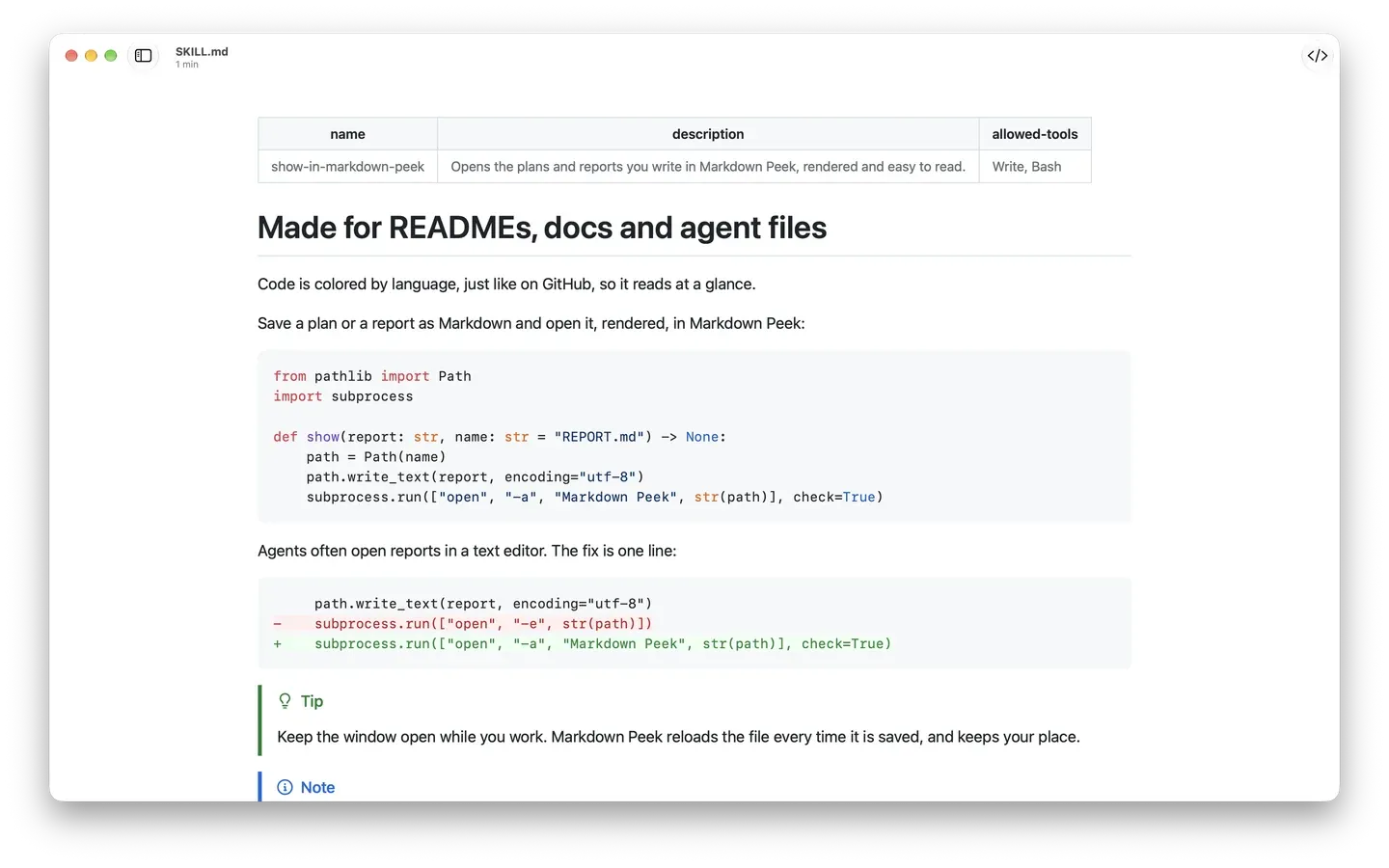
Code in color, like GitHub 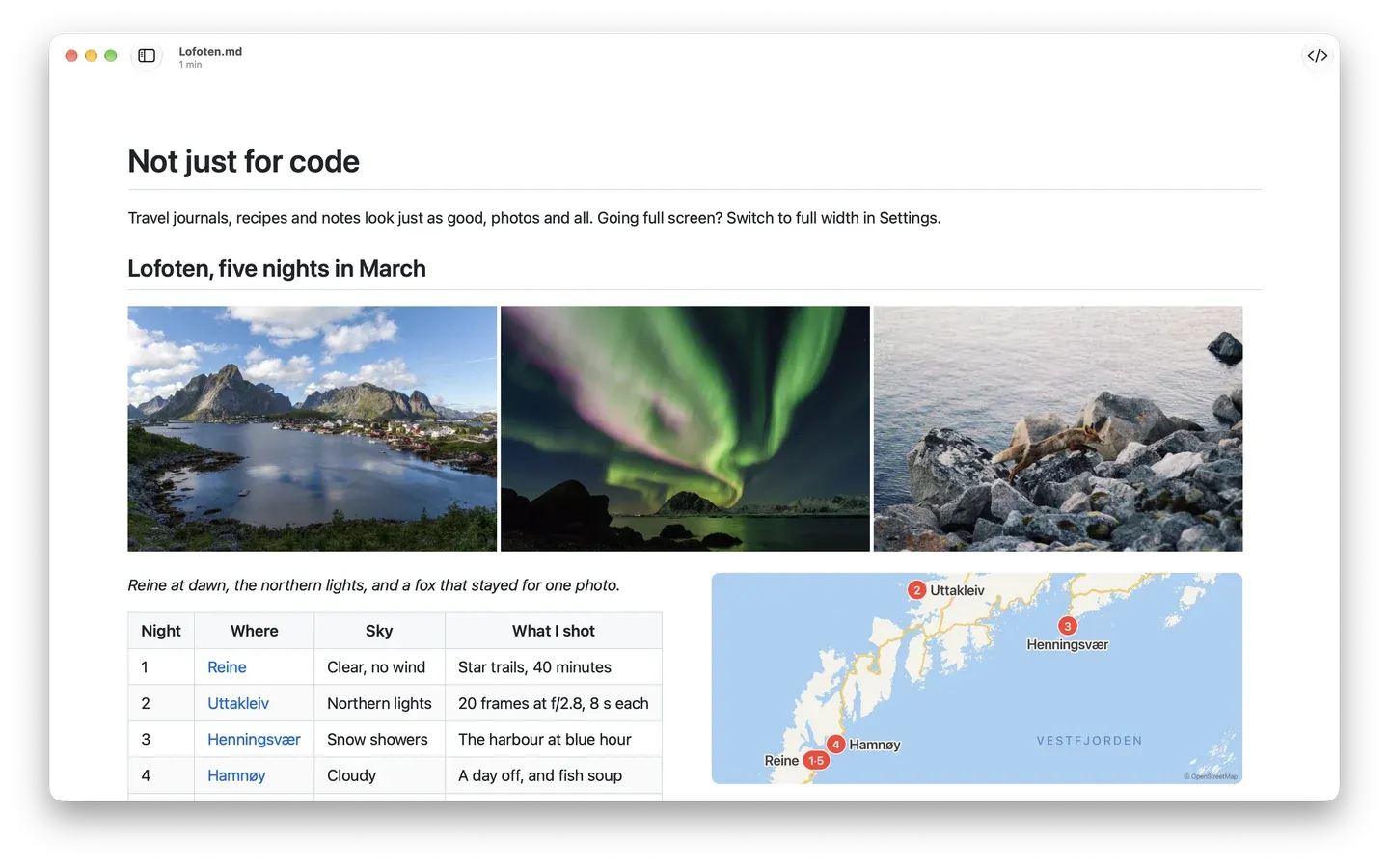
Not just for code 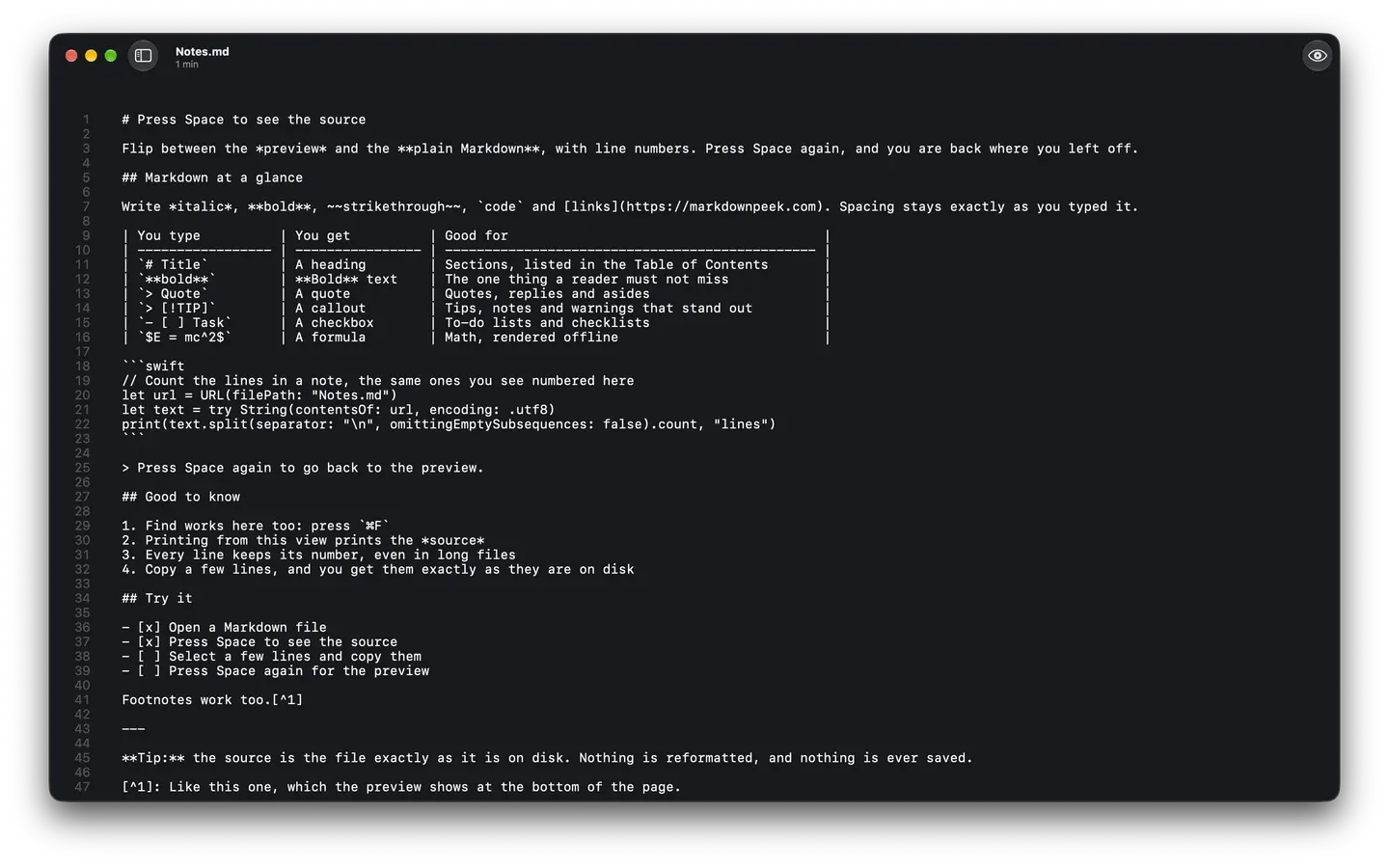
Press Space to see the source 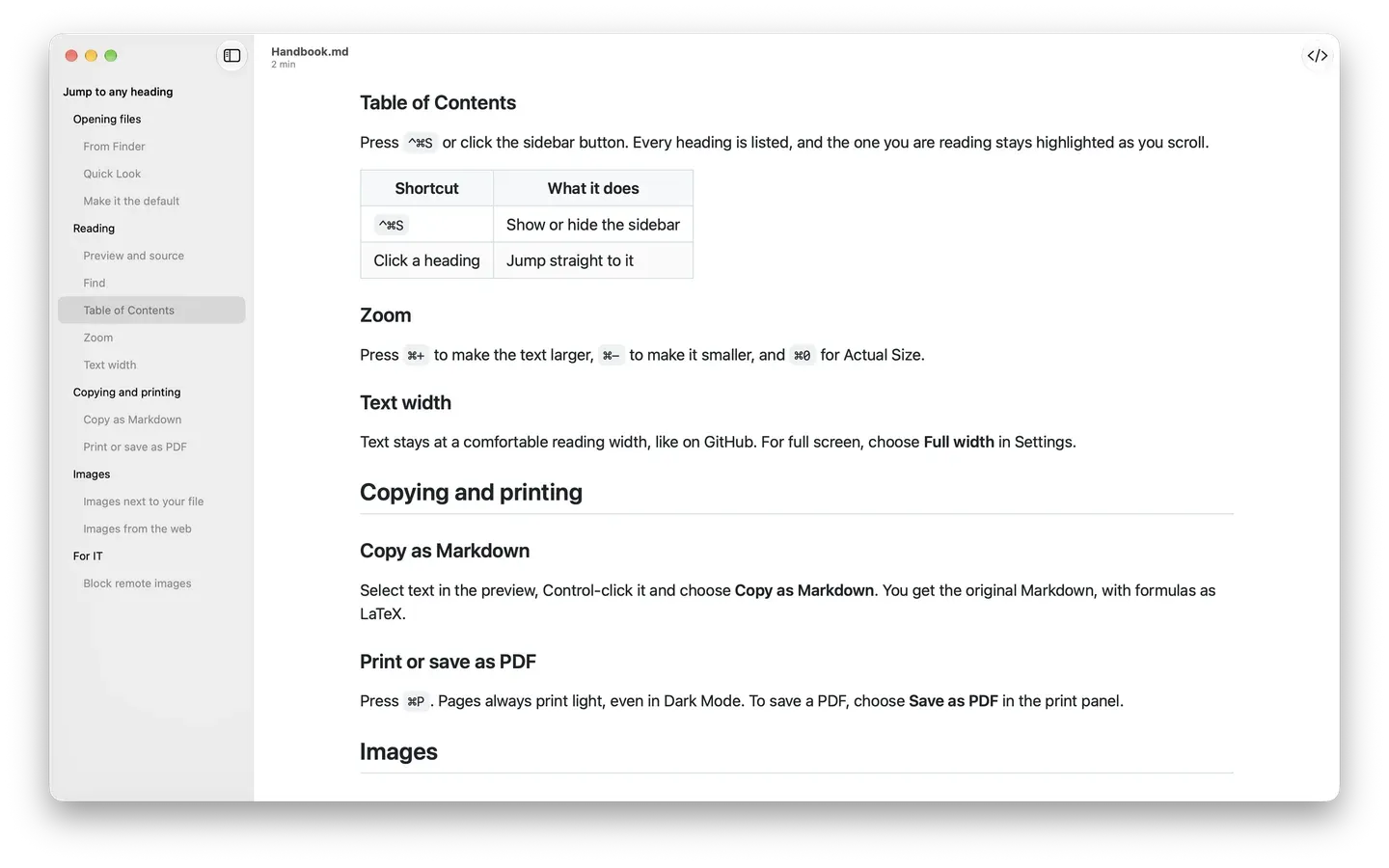
Jump to any heading 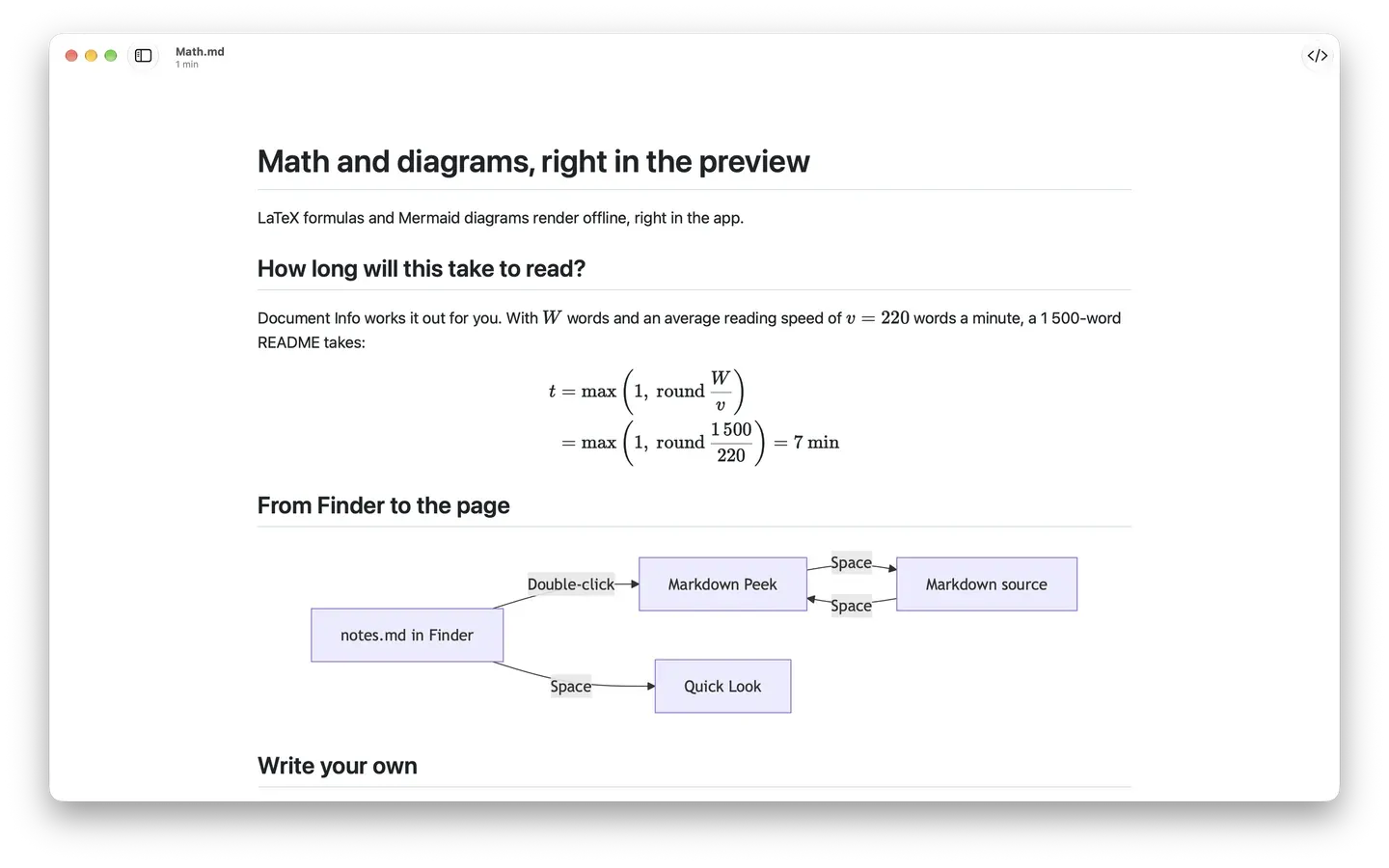
Math and diagrams, right in the preview 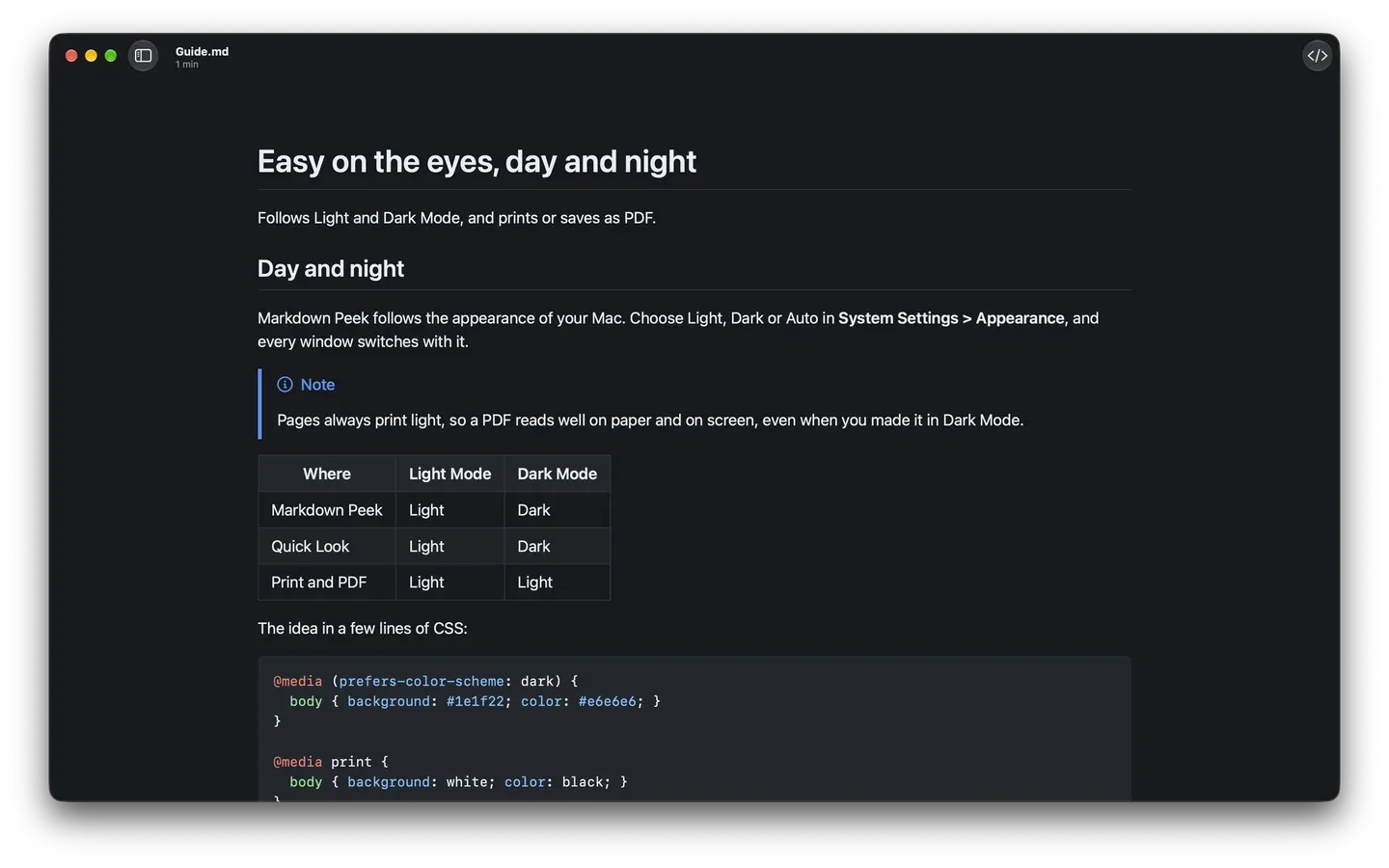
Easy on the eyes, day and night 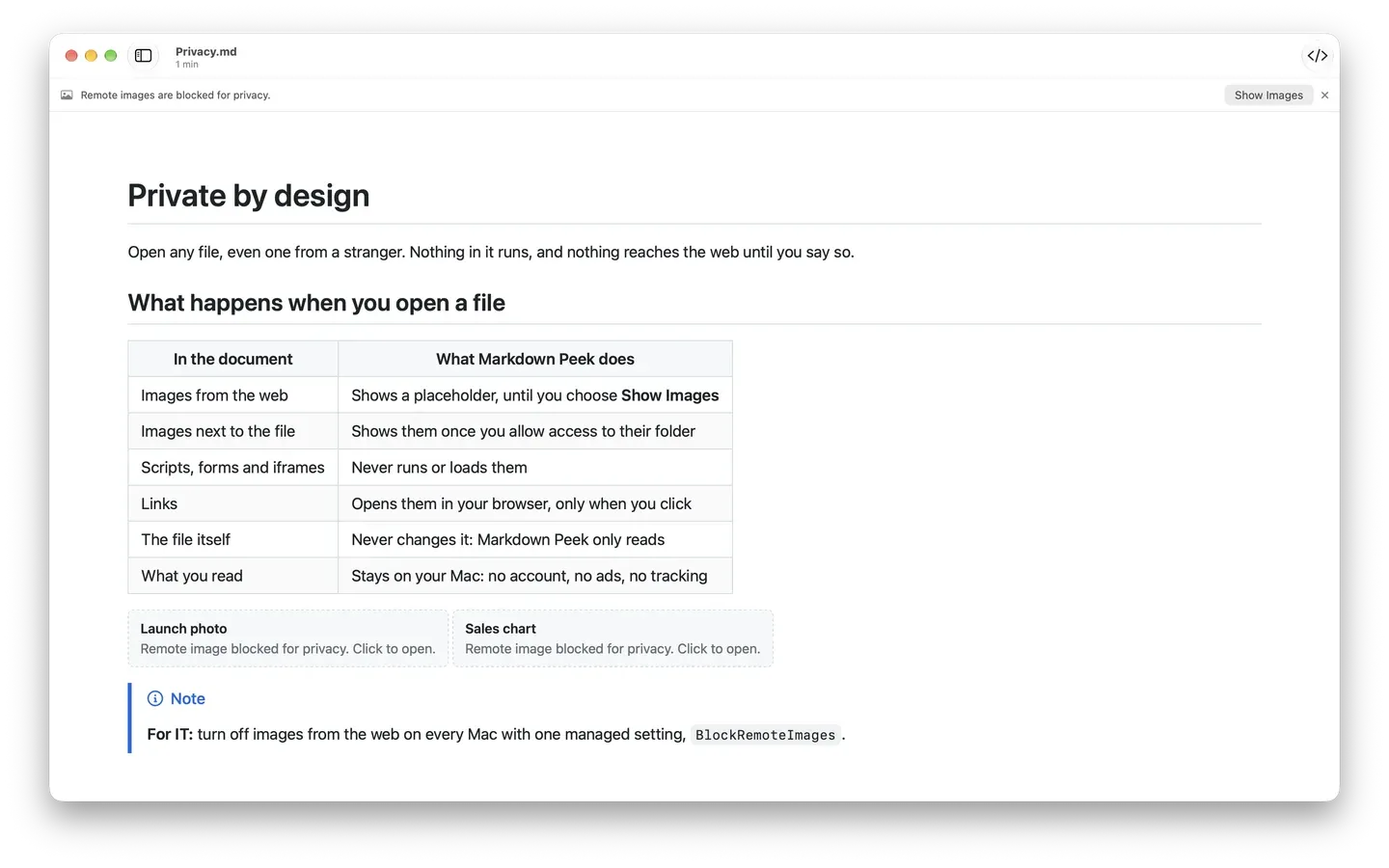
Private by design
Why Markdown?
It's plain text, so your notes, journals, and recipes open in any app, on any device, today and in twenty years. It's also the language of AI: assistants and agents read and write Markdown natively, and it costs fewer tokens than HTML or Word. No lock-in, no subscription, small files that sync and search in an instant. Markdown Peek makes them a pleasure to read.
Yours for good
No app, account, or subscription stands between you and your words. A .md file you write today still opens long after the app you wrote it in is gone.
The language of AI
AI assistants answer in Markdown, and agents read and write it: READMEs, agent instructions, and skill files are all plain .md. The same text takes fewer tokens than HTML or a Word file.
Small and quick
A year of journal entries is a few hundred kilobytes of text. It syncs in seconds, backs up anywhere, and is easy to search with any tool.
Made for people who live in Markdown
Built for developers, writers, students, and anyone who keeps notes, journals, or recipes in Markdown: READMEs, docs, trip logs, anything.
Developers
Read READMEs, API docs, and changelogs in clean GitHub style, and Quick Look any file in a repo without leaving Finder.
Writers
Preview drafts, posts, and notes the way they will look, then save a tidy PDF to share when a piece is ready.
Students
Open lecture notes and assignments instantly, flip to the source to check formatting, and read comfortably in dark mode.
Note keepers
Journals, recipes, and trip logs look just as good as code, photos and all. Keep your notes as plain text and read them as a beautiful page.
Questions, answered
The short version. The FAQ has the rest.
- What is Markdown Peek?
- A fast, native Markdown viewer for macOS. It opens .md, .markdown, and .txt files in clean GitHub style, and previews them in Finder with Quick Look.
- How much does it cost?
- It is free on the Mac App Store. Open a file and read.
- Which version of macOS do I need?
- Markdown Peek runs on macOS 15.5 and later.
Take a closer look
All the features
The full tour, plus an honest look at how Markdown Peek compares to the editors.
See featuresMarkdown cheat sheet
Headings, lists, tables, code, callouts, and footnotes, each with the syntax and the result.
Open the guideHelp and setup
Set Markdown Peek as your default .md app, learn the shortcuts, and fix the rare snag.
Get helpEasy for IT, too
Markdown Peek is a quick approval for managed Macs: native to the Mac App Store, sandboxed, and collecting no data.
App Store native
Installed and updated through the Mac App Store, the sanctioned channel on most managed Macs. No installer to vet and no separate update path.
Collects no data
No accounts, no telemetry, and no analytics. Images from the web are off by default and can be locked off with MDM, so nothing about your team or their files leaves the Mac.
Deploy with MDM
Get the free app in Apple Business Manager and push it to managed Macs through your MDM. No end-user Apple Account required.
Questions? Say hello.
Support, feedback, or business and IT questions. We read every message.
Message sent
Thanks for reaching out. We will get back to you soon.